

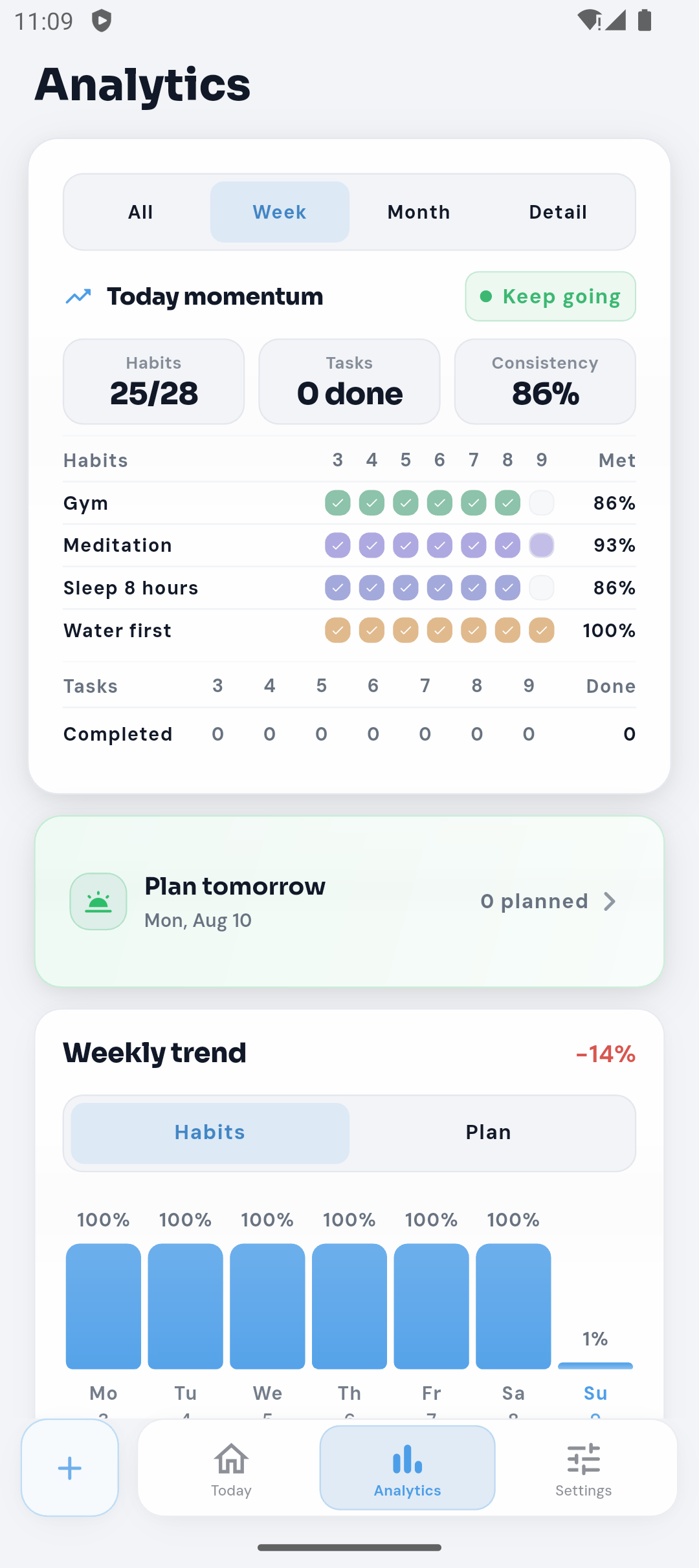
Choose the time period you want to understand
Switch between a week, month, all history, or a detailed view to look at your activity from more than one angle. Free keeps the last seven days of analytics history. Plus extends the history window to 30 days.
A short window can help you reflect on this week; a longer one can make recurring patterns easier to notice. Neither view tells the whole story of why a day went differently.
Read habit and planner activity in context
The Analytics overview can show completed and planned counts, a habit grid, weekly trend, and other summaries. Future habits and tasks do not count against progress. Skips, pauses, and moved items stay distinct from missed activity.
The app explains what each metric means. For example, its consistency percentage uses completed or missed habit outcomes, while paused or skipped days are not treated as misses.
Look for a rhythm, not a perfect score
Some summaries need a few observed days before they can show a meaningful pattern. When there is not enough activity, LilCoach uses a low-data explanation instead of presenting an empty percentage as a judgement.
Weekly views can help you compare planned and completed activity. If the week was unusually busy, use that context before deciding whether to change a routine.
Use recommendations only when they are available
Plus can show optional local Recommendations based on patterns in the app. These are deterministic insights, not AI-generated advice, and they do not create or change a plan for you.
Use a recommendation as one prompt for reflection. Keep it, ignore it, or make a different change that fits the reason your plan shifted.
Choose a small adjustment for the next period
If the same time or step keeps getting in the way, try one change and see how it fits over the next few opportunities. A smaller habit, a better time, or one task moved from an overloaded day may be enough.
Read about adjusting a busy day with Fit My Day, explore the Recovery options, or learn how LilCoach differs from a dedicated habit tracker.