Use LilCoach for daily habit tracking
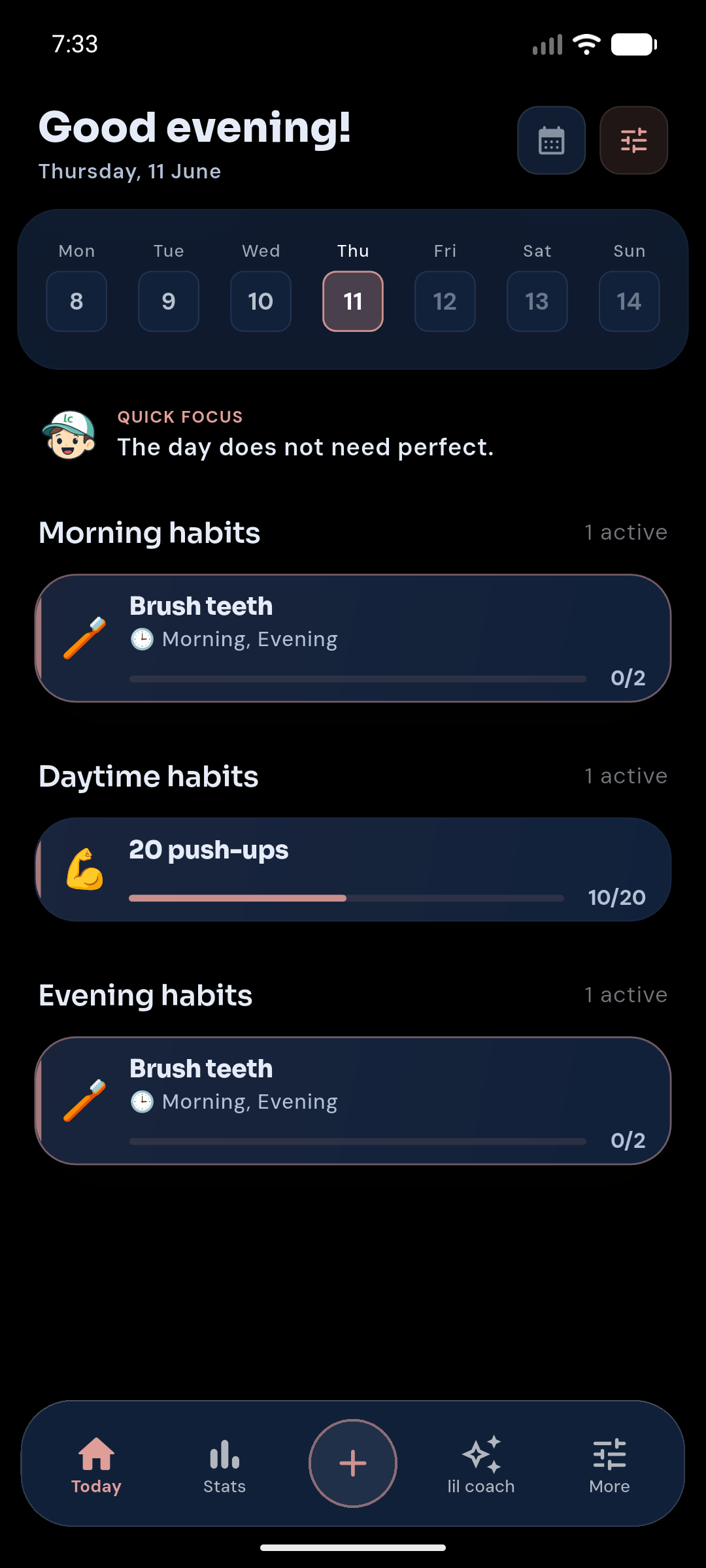
Plan and complete morning, daytime, and evening habits from one Today screen — with Quick Focus and a clear day timeline.
The habit app built around Today.
Open Today to see habits, tasks, and focus in one place. Tap + to add what you need, start Guided Programs when you want a ready path, and review Analytics when patterns appear — without AI promises in the public release.
Product overview
Built for iOS and Android, LilCoach helps you keep a daily rhythm: habits and planner items on Today, Guided Programs and routines from Catalog, gentle recovery after missed days, Focus-friendly density when you want less noise, and Analytics that explain patterns.
Plan and complete morning, daytime, and evening habits from one Today screen — with Quick Focus and a clear day timeline.
Use the catalog, routines hub, Guided Programs, templates, Shared Big Reward, reminders, and widgets — without a blank-page start.
Analytics, optional Google Calendar context, Plus sync, and Health import keep adjustments evidence-based and still under your control.
Daily use
The main flow stays close to the bottom dock: act from Today, add the next useful thing, discover routines in Catalog, and learn from Analytics.
See scheduled habits, planner items, Quick Focus, progress, and the next small action without opening a separate planning system.
Add a habit, task, focus block, or break — or open Catalog for templates, routines, and Guided Programs.
Complete, skip, undo, move a habit for one day, use tiny versions, and return gently after missed days.
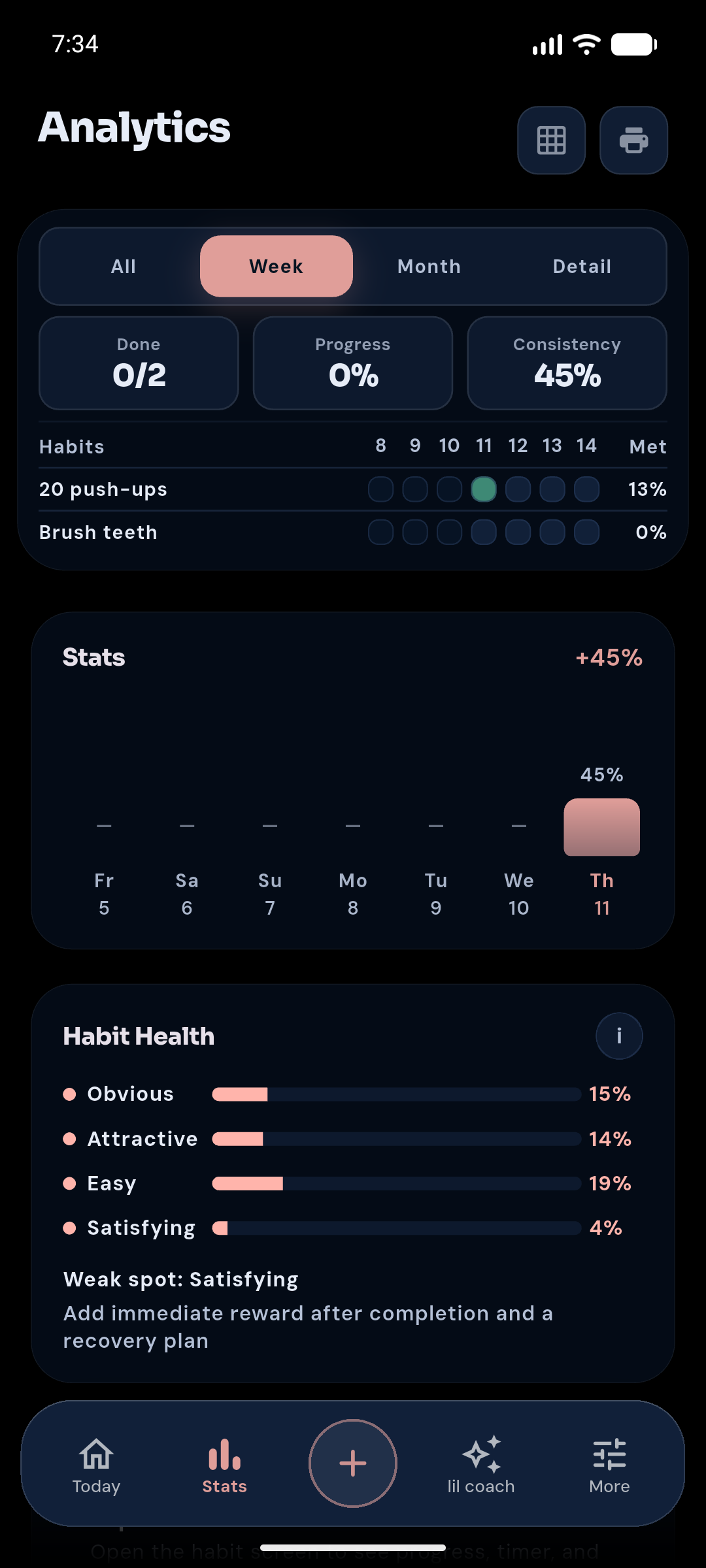
Check weekly patterns, streaks, Shared Big Reward progress, and local recommendations on Plus — without turning Analytics into a second task list.
Inside the app
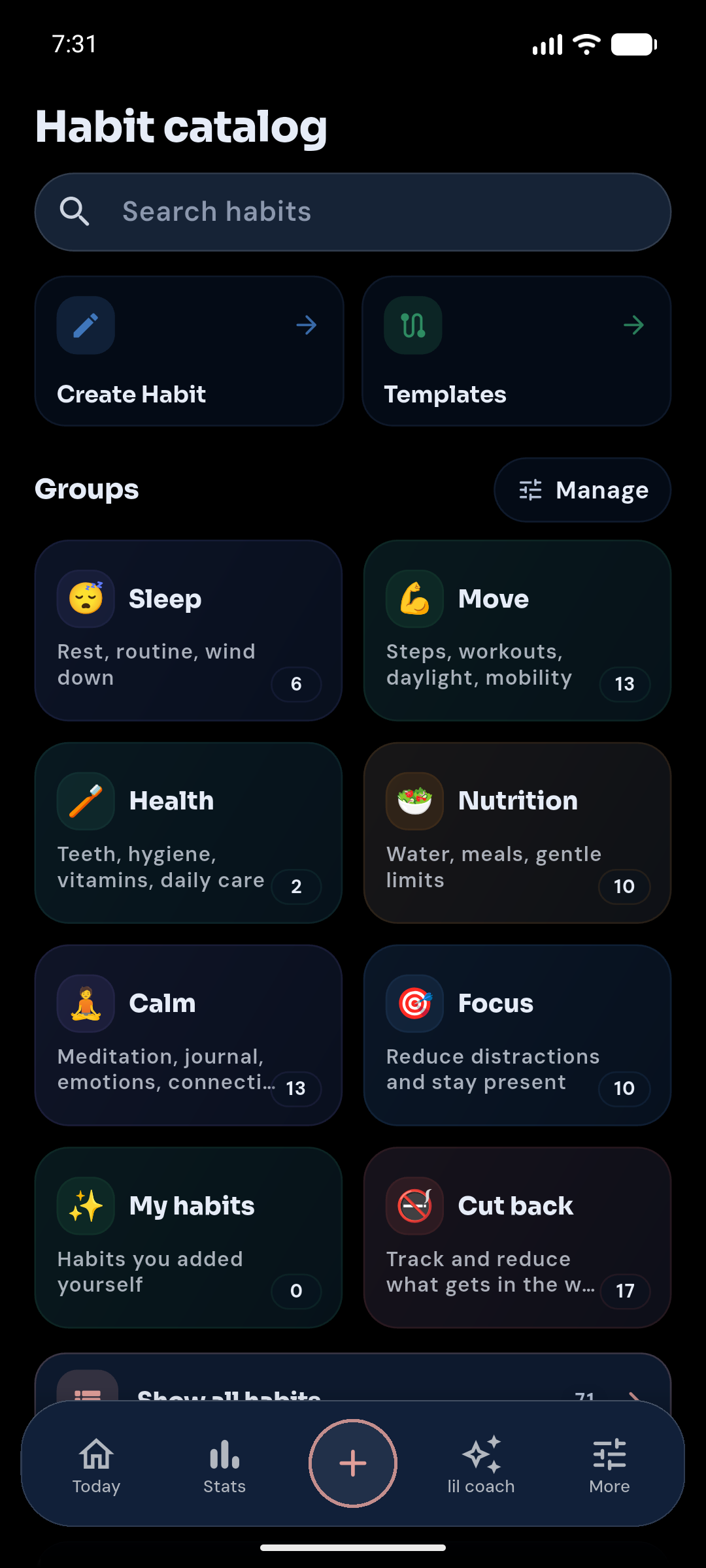
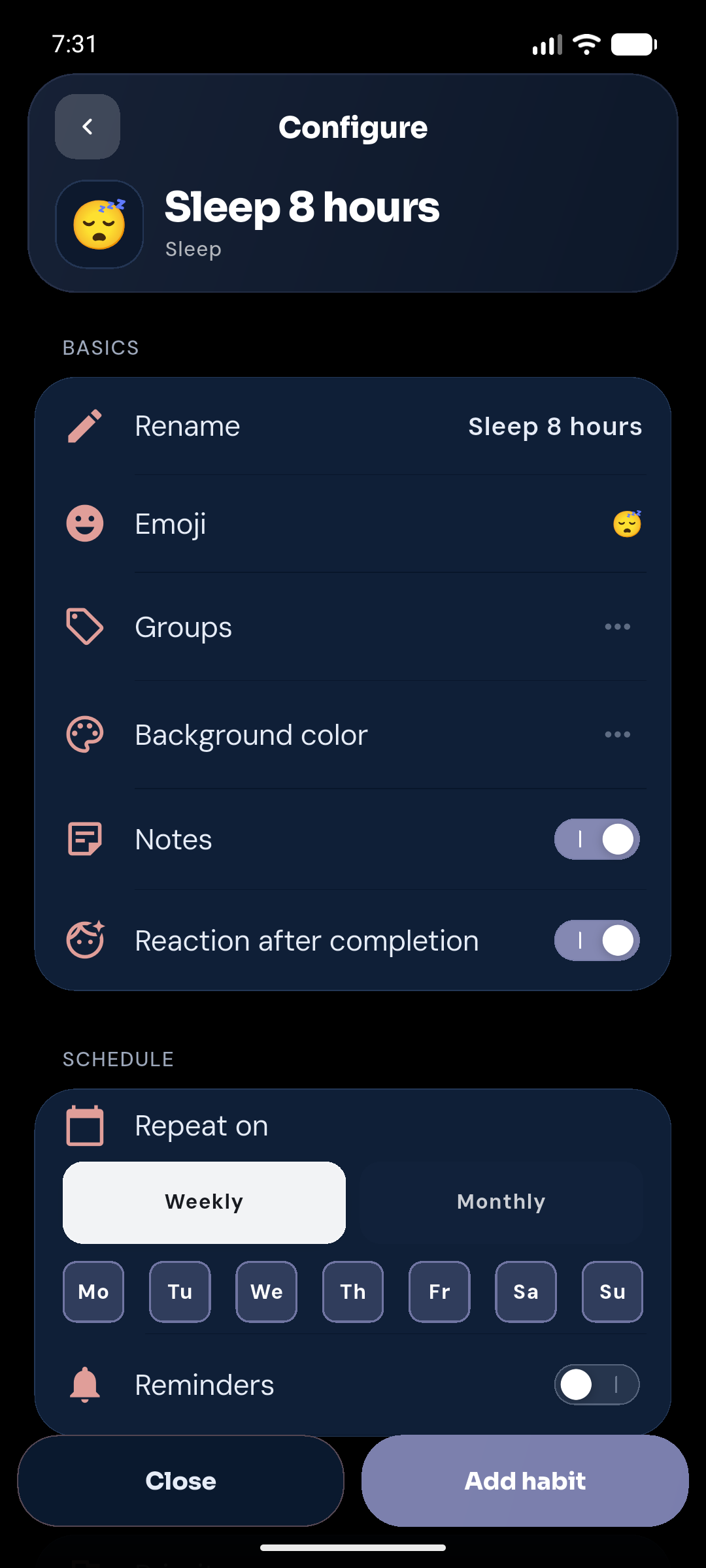
Real product screens show the path from Catalog to a configured habit and Analytics.
Core features
The public release is a practical Today loop with Free Guided Programs and Plus continuity — no Coach or AI chat in this cut.
One daily surface for habits, light planner items, Quick Focus, skips, notes, timers, and undo.
Add habits, tasks, focus blocks, or breaks from one entry point — then deepen setup in Catalog.
Start from Guided Programs, the routines hub, and habit templates — Free in this release.
Tiny versions, recovery sessions, Flexible Day moves, and Shared Big Reward keep momentum after imperfect days.
Review completion, streaks, recovery signals, and weekly hierarchy without noise.
Choose a calmer, less dense Today when you want less visual load — non-medical, user-controlled.
Connect Google Calendar for read-only event anchors on Today. Disconnect clears the import.
Unlimited habits, 30-day Analytics, cloud sync, Health import, custom colors, and Habit Design depth.

“Keep the rhythm small. The next action is enough.”LilCoach
Suggestions stay local and optional. Nothing rewrites your plan without you.
Core habit tracking works locally, without advertising profiles.
Today, recovery, and local progress remain useful without an account.
Plans
Free covers the core Today loop, Guided Programs, and short Analytics. Plus adds continuity, deeper tracking, sync, and Health.
| Feature | Free | Plus |
|---|---|---|
| Active habits | Up to 5 | Unlimited |
| Analytics history | 7 days | 30 days |
| Today, + flow, and reminders | ||
| Home-screen widgets | ||
| Guided Programs and routines hub | ||
| Shared Big Reward | ||
| Focus-friendly Experience | ||
| Optional Google Calendar context | ||
| Cloud backup and sync | — | |
| Health import | — | |
| Custom app colors and Habit Design | — | |
| Local Analytics recommendations | — |
Public release sells Plus only. Coach / AI / Pro stay deferred and are not offered in-app in this cut.
FAQ
What to expect from the current LilCoach public cut.
Yes on Google Play for Android. App Store for iOS is coming soon.
Not in the current public release. Today, Catalog, Guided Programs, Analytics, and Plus tools are the product. Coach / AI chat stay deferred.
Open Today, complete or skip what is scheduled, tap + when you need something new, use Catalog for routines and Guided Programs, then review Analytics when you want patterns.
Core habit data is stored locally. Plus can use account-backed cloud sync and backup. See the Privacy Policy for the complete disclosure.
An Experience option for a calmer, less dense Today. It is not medical advice and is not sold as an ADHD diagnosis tool.